
Regional
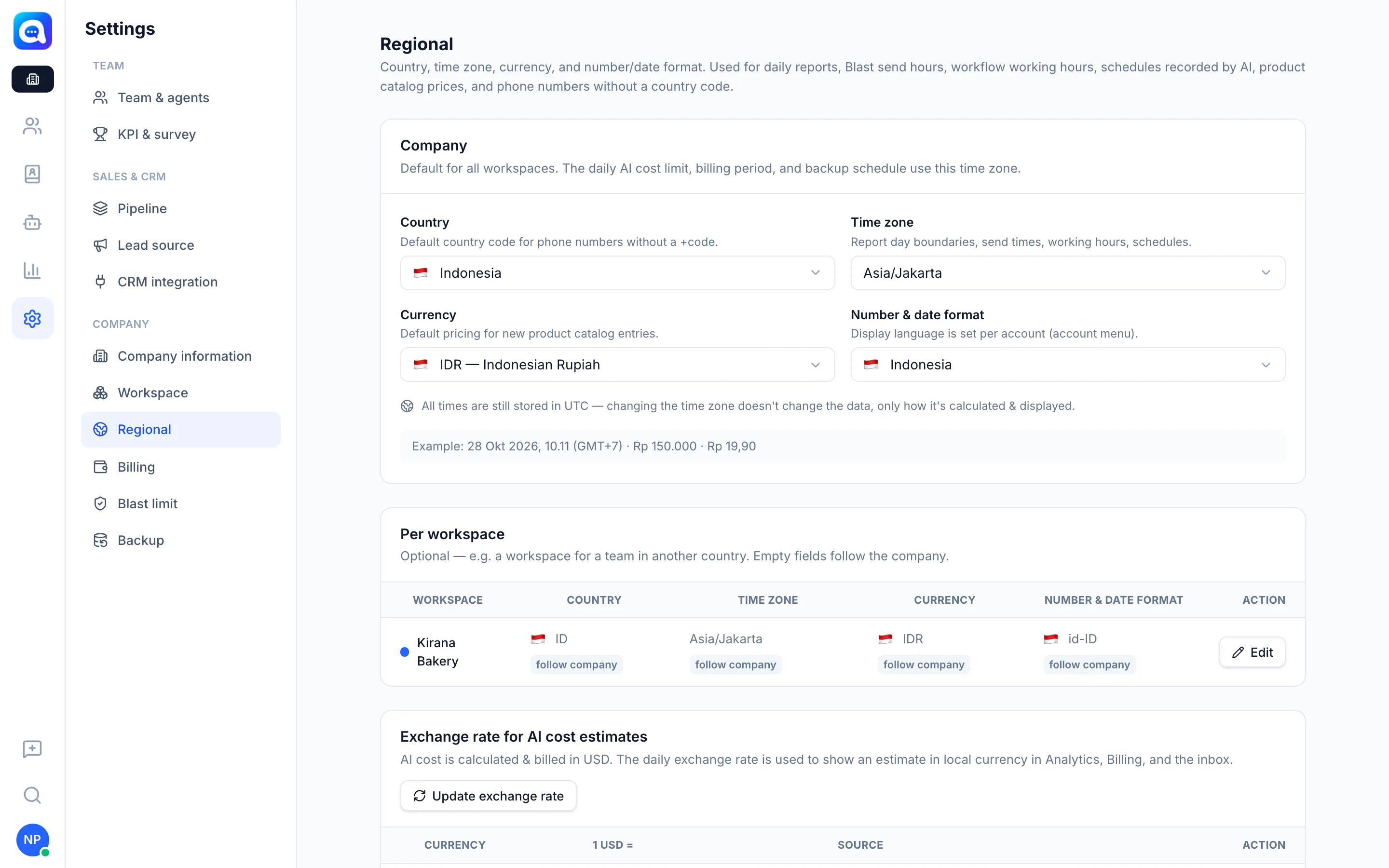
Set the country, time zone, currency, and number and date formats for the company and each workspace.
The Regional settings determine how time and numbers are calculated and displayed. This menu is only available at the Company level.
What it does
The Company section contains:
- Country: the default country code for phone numbers without a +code.
- Time zone: the boundary of the report day, Blast sending hours, workflow working hours, and schedules.
- Currency: the default for new product catalog prices.
- Number & date format: an example of the result is shown right away. The display language is set per account.
The Per workspace section lets one workspace use different settings, e.g. a team in another country. Empty fields follow the company.
The Exchange rate for AI cost estimates section: AI costs are calculated and billed in USD. The daily exchange rate is used to estimate them in local currency in Analytics, Billing, and the inbox. You can Update exchange rate or set a Company custom exchange rate, then Back to automatic exchange rate at any time.
Benefits
- Daily reports and Blast sending hours match local time.
- Product prices are shown in the correct currency.
- Local phone numbers are recognized without writing the country code.
Steps
- Open Regional. Choose Settings → Regional in the Company view.
- Set the Company section. Kirana Bakery chooses Indonesia, Asia/Jakarta, IDR, and the Indonesian format.
- Set per workspace (optional). Click Edit on the workspace row, then fill in only what differs.
- Set the exchange rate (optional). Use Set exchange rate if you want to use your own bank rate.
- Save. Click Save.
Tips
All times are still stored in UTC. Changing the time zone does not change data, only how it is calculated and displayed.