
Settings/Company
Company Information
Fill in your business identity and contact details so they appear in the dashboard and can be used by the AI to answer customers.
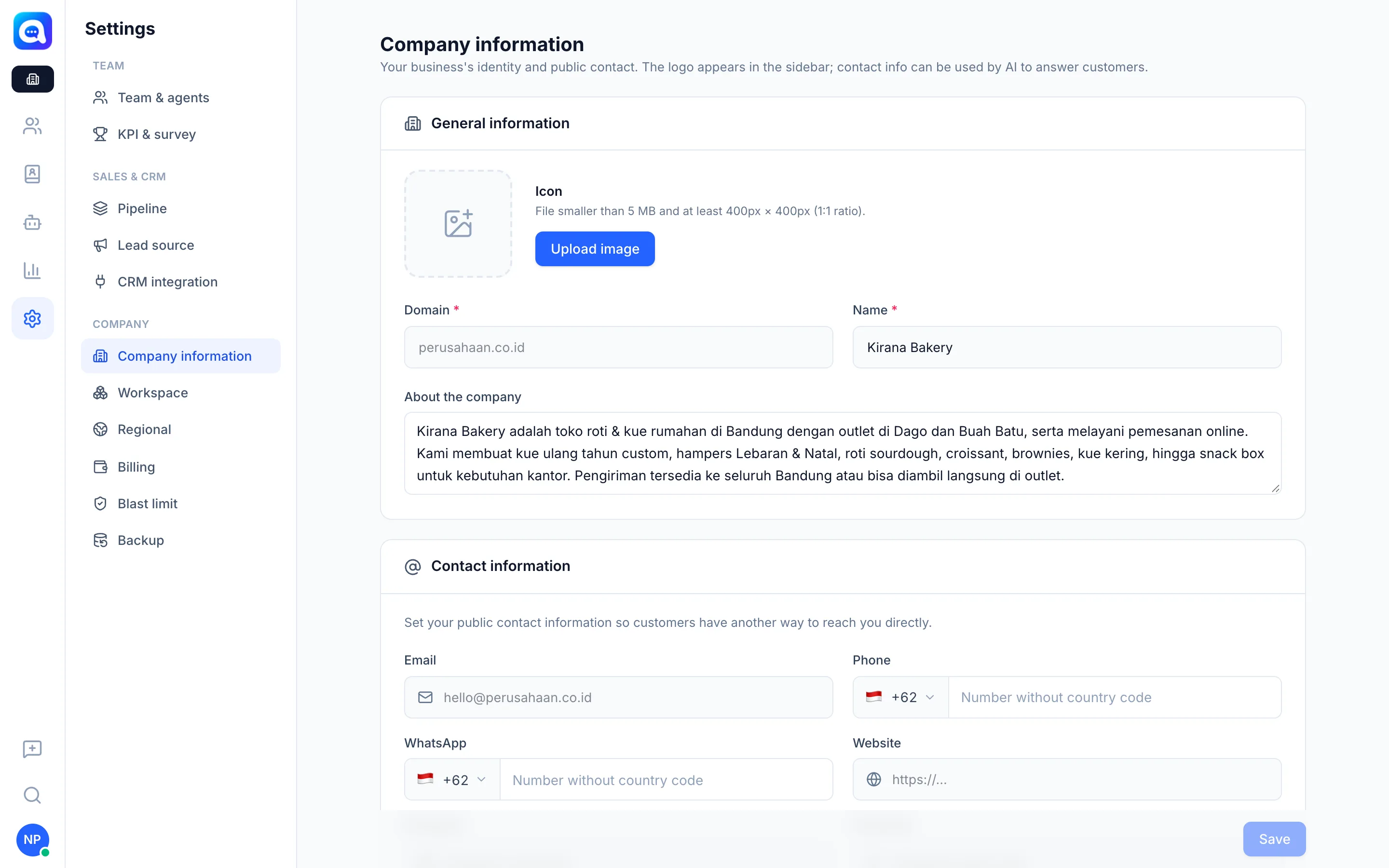
The Company information page contains your business identity: name, icon, description, and public contacts. Fill it in once at the start, then update it when something changes.
What it does
- General information: Icon (logo), Domain, Name, and About the company.
- Contact information: Email, Phone, WhatsApp, Website, and social media accounts such as Instagram, Facebook, TikTok, YouTube, and more.
- The logo appears in the sidebar. Contact info is used by the AI, so questions like "where is your address?" or "what's your IG?" can be answered. The company name is also used when the business name in AI Agent is empty.
Benefits
- The AI answers customers' basic questions with the right data.
- Your business identity is consistent across the dashboard.
- Customers have other ways to reach you.
Steps
- Open the page. Choose Settings → Company information.
- Upload an icon. Click Upload image. Keep the file under 5 MB, ideally 400 x 400 px (1:1 ratio).
- Fill in the general data. Fill in Domain and Name (required), then About the company. Kirana Bakery writes that they are a bread and cake shop in Bandung with outlets in Dago and Buah Batu, including opening hours and delivery area.
- Fill in contacts. Complete the email, phone, WhatsApp, website, and social media. Enter numbers without the country code.
- Save. Click Save.
Tips
Tip
Write a short description that includes your main products and opening hours. This section is the one the AI reads most often.