
Settings/Personal
My Account
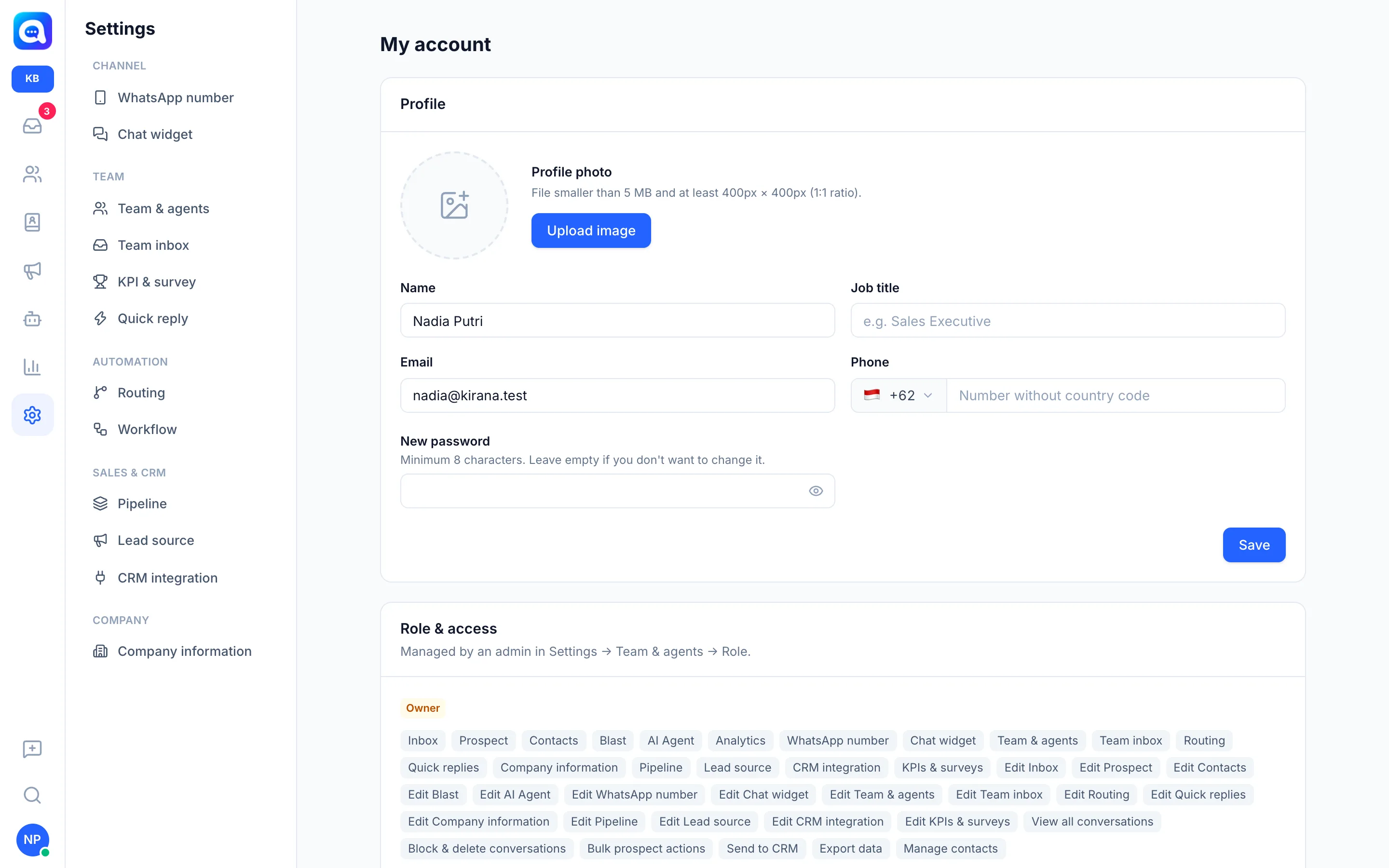
Change your profile photo, name, password, and dashboard language.
My account holds each user's personal settings, whether owner or agent. Changes here only apply to your own account.
What it does
- Profile: Profile photo, Name, Job title, Email, and Phone.
- New password: at least 8 characters. Leave it empty if you don't want to change it.
- Role & access: the list of permissions you have, set by an admin in Settings → Team & agents → Role.
- Dashboard language: 10 languages are available: English, Bahasa Indonesia, Español, Português (Brasil), Français, Deutsch, Italiano, Türkçe, Русский, and العربية (right-to-left layout).
Benefits
- Teammates and customers recognize you by your photo and name.
- Your account is safer with an updated password.
- The dashboard is comfortable to use in your own language.
Steps
- Open My account. Choose Settings → My account.
- Upload a photo. Click Upload image. Keep the file under 5 MB, ideally 400 x 400 px.
- Edit your details. Update Name, Job title, and Phone. Example: Nadia Putri, Owner Kirana Bakery.
- Change your password (optional). Fill in New password, then click the eye icon to check what you typed.
- Save. Click Save.
- Change the language. Click your avatar at the bottom left, then pick a language in the language selector with flags. The display changes right away.
Tips
Tip
The dashboard language is set per account, so each agent can use a different language without affecting the language of replies to customers.