
AI cost & usage
How AI cost is calculated from tokens, credits per plan, daily limits, and what happens when credits run out.
Every time the AI works, it uses a model that has a cost. Kalea calculates this from real usage, not estimates, so you can monitor and limit it.
What it does
How it is calculated
Every model call is recorded with its number of input tokens, output tokens, and cached tokens. Cost is calculated from the model's official price per million tokens, in USD. Estimates in local currency (e.g. Rupiah) are for information only and follow the exchange rate in the Regional settings.
With Platform AI, the amount billed is the model cost plus a platform margin. With Own API key, the cost is paid directly to the provider and only shown in Kalea for information. See AI model & credits.
Usage types
Breakdowns in Analytics are grouped by Type:
- Reply to customer: automatic AI replies, including knowledge or catalog lookup steps.
- Agent copilot: the Copilot in the reply box.
- Topic classification: intent and topics for workflows and routing.
- Read image: reading photos or PDFs from customers.
- Trial (Playground): conversations in the Playground.
Credits per plan and the trial period
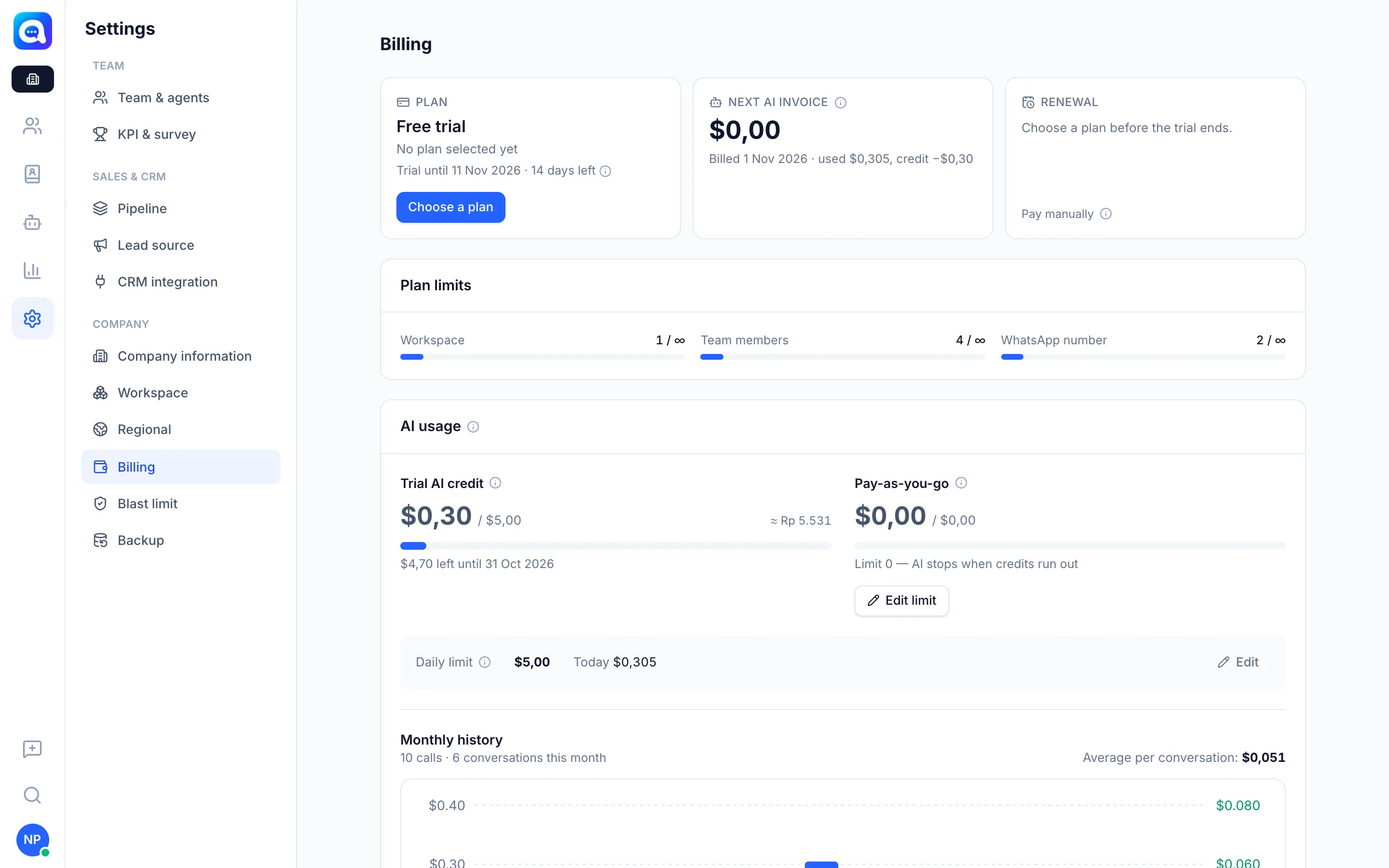
With Platform AI, every plan includes monthly Plan AI credits that are refilled on the 1st of each month and used first. During the trial, you get Trial AI credit and a daily cost limit specific to the trial. The amount of credit follows the plan shown in Settings → Billing.
Once credits run out, usage becomes Pay-as-you-go: billed on the 1st of each month for the previous month, up to the limit you set. Pay-as-you-go does not apply during the trial, and a limit of 0 means the AI stops when credits run out.
Daily limit
The Daily limit caps AI cost per day for the whole company. During the trial, the trial daily limit also applies. You can change it with the Edit button.
When credits run out
The AI stops replying when:
- the daily limit is reached (it continues tomorrow, or raise the limit),
- this month's quota (plan credits plus pay-as-you-go) is used up,
- the AI bill is overdue or the subscription is inactive.
New chats are handed off to the agent queue and admins get a notification. Copilot, image reading, and the Playground also stop.
Benefits
- Transparent costs down to the conversation level.
- No surprise bills: you set the limit.
- Easy to find the most expensive feature or model.
Steps
- Check credits and limits. Open Settings → Billing, in the AI usage section. See Plan AI credits (or Trial AI credit), Pay-as-you-go, and Daily limit along with Today's usage.
- Set limits. Click Edit limit for pay-as-you-go or Edit for the daily limit.
- View history. Below that, Monthly history shows the number of calls, the number of conversations, and the Average per conversation.
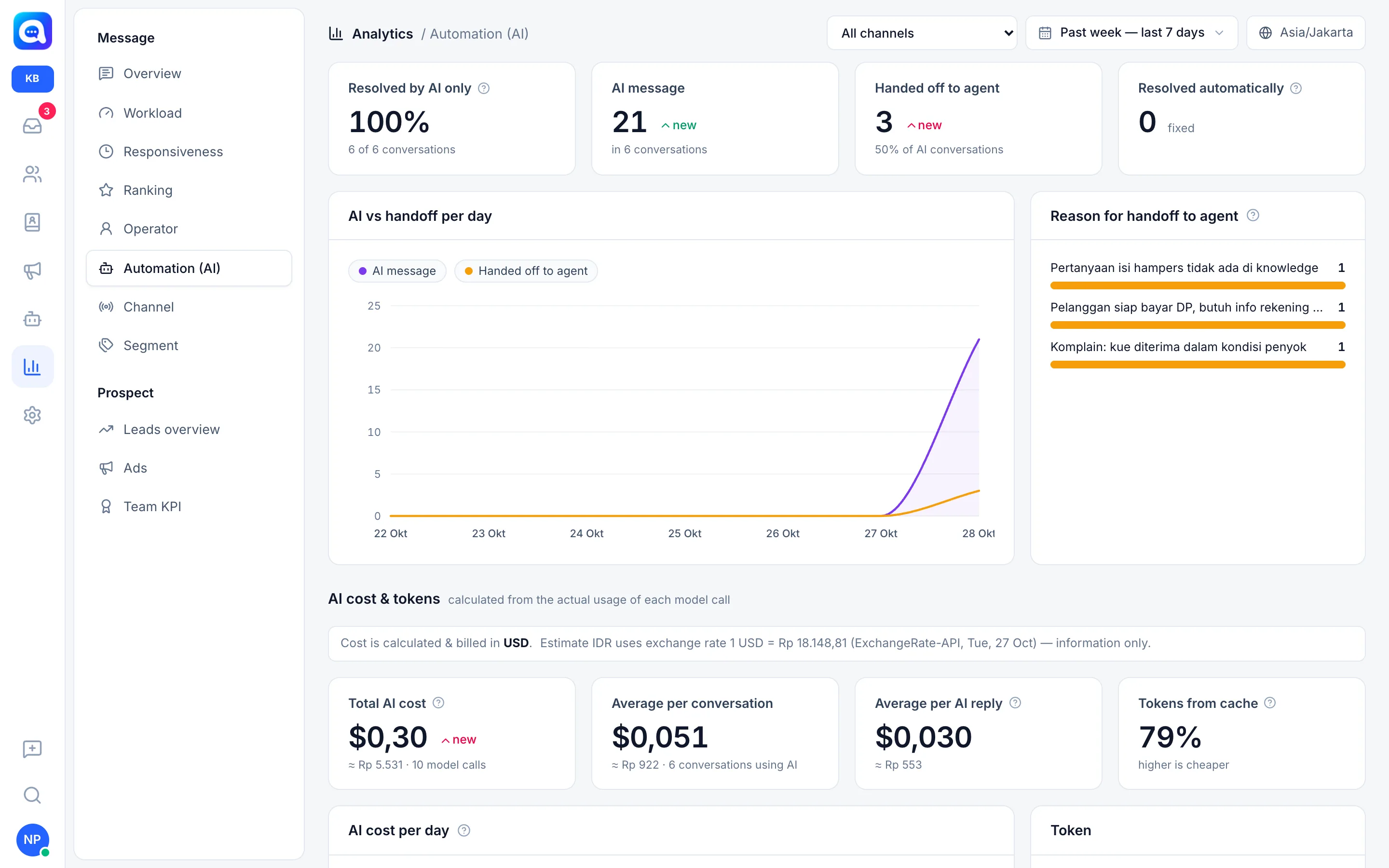
- Analyze costs. Open Analytics → Automation (AI), scroll to AI cost & tokens: Total AI cost, Average per AI reply, Tokens from cache, AI cost per day, and the Per call type table.
- Save money. Choose a cheaper model, shorten your instructions, and test in the Playground first.
Tips
A high number of Tokens from cache means savings. The cache drops when the gap between replies is longer than 5 minutes.
If the AI suddenly stops, check Settings → Billing first: it is usually the daily limit or credits.