
Lead qualification
Define the lead data the AI asks for and how Kalea calculates lead class A, B, or C.
Lead qualification is used on channels with the Sales purpose. The AI asks for lead data naturally, then Kalea assesses how worthwhile it is to follow up that lead.
What it does
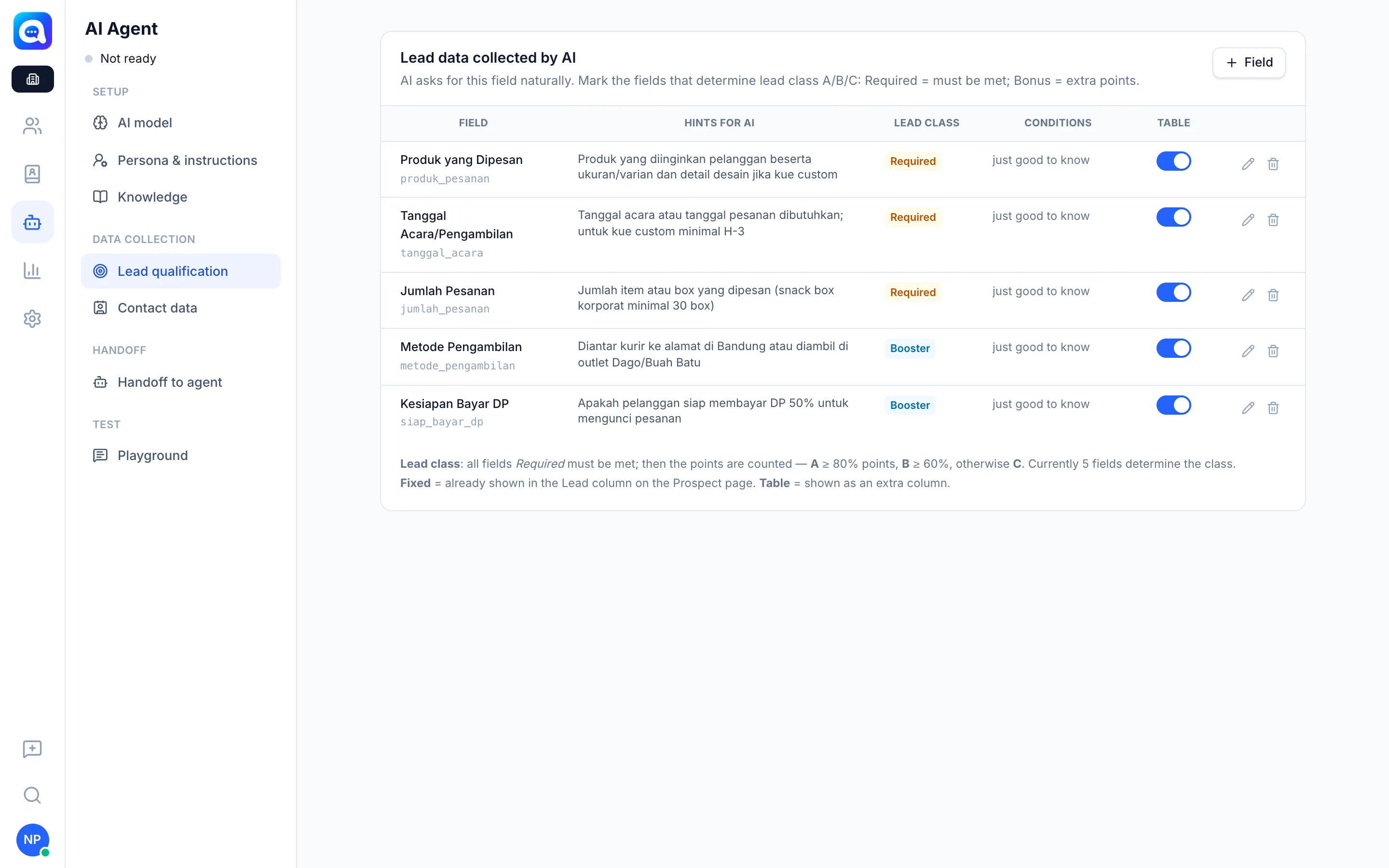
In the Lead qualification tab (Data collection group) you manage the list of fields. Table columns: Field, Hints for AI, Lead class, Conditions, and Table.
Every field has:
- Label and Key (lowercase letters and underscores).
- Hints for AI: what to ask and the answer format, e.g. "Estimated number of cake orders per month (number)".
- Lead class: Does not determine class, Required (must be met), or Booster (extra points).
- Conditions: empty = just needs to be known;
≥200= minimum number; or a list of accepted values, e.g.SENDIRI, CAMPUR. - Check label (optional): text in the Conversation qualification panel.
- Table: the field is shown as an extra column on the Prospect page.
Lead class formula
- All Required fields must be met. If not, the class is C.
- Then points are calculated from the fields that meet their conditions.
- Class A if points are 80% or more, Class B if 60% or more, otherwise Class C.
Kirana Bakery example: the field "Orders per month" (Required, condition ≥20), "Event needs" (Booster), "City" (Booster).
Benefits
- The team focuses on class A and B leads.
- Qualification criteria fit your business, not a rigid template.
- Complete data is recorded automatically in the lead profile.
Steps
- Open the tab. Choose AI Agent → Lead qualification.
- Add a field. Click the + Field button at the top right, then fill in Label, Key, and Hints for AI.
- Define its role. Under Lead class choose Required or Booster, then fill in Conditions if needed.
- Apply. Click Apply, then Save at the top of the page.
- Set the display. Check Table to show the field as a column on the Prospect page.
- Test. Check the class result in the Playground.
Tips
Make a field Required only for conditions that truly decide whether a lead is worthwhile. Too many Required fields make it hard for leads to reach class A.