
Persona & instructions
Set the bot name, business name, and AI instructions per workspace, per WhatsApp number, or per widget.
A persona makes the AI speak in your business's character. For example, Kirana Bakery wants its AI named "Kira", friendly, and always offering birthday cakes.
What it does
A persona consists of:
- Bot name and Business name (e.g. Kirana Bakery).
- Instructions: language style, what is and is not allowed, how to offer products, current promotions, and so on.
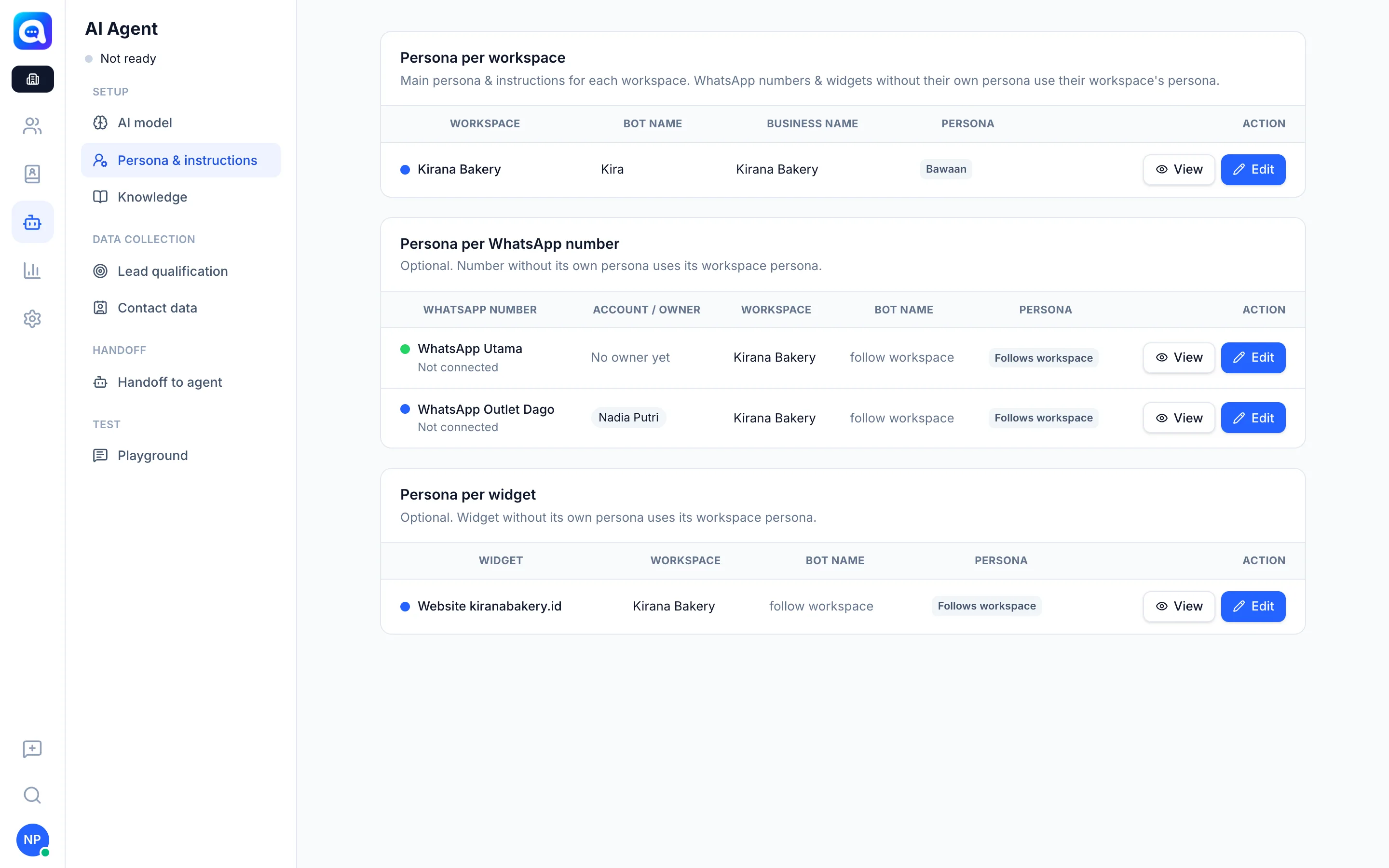
A persona can be set at three levels, from the most general:
- Per workspace: used by all WhatsApp numbers and widgets in that workspace that have no persona of their own.
- Per WhatsApp number: optional, for a specific number.
- Per widget: optional, for a specific chat widget.
A number or widget with an empty persona automatically Follows workspace.
Ready-to-use templates are also available: Customer Service, Sales, Helpdesk, and Billing support. You can View & copy their content or Apply to workspace as a starting point.
Company admins see a Persona per workspace summary and can change it with the Edit button.
Benefits
- Replies feel like your brand, not a generic robot.
- Each line of business or number can have its own style.
- Templates speed up setup.
Steps
- Enter the workspace. Choose your workspace, then open AI Agent → Persona & instructions.
- Start from a template (optional). Under Start from template, click View & copy to read the content, or Apply to workspace.
- Fill in the workspace persona. Fill in Bot name, Business name, and Instructions. Example instructions: "Greet warmly, offer birthday cakes, ask for the pickup date, do not promise delivery outside Bandung."
- Save. Click Save.
- Set a persona per number or widget (optional). In Persona per WhatsApp number or Persona per widget, click Edit on the row you want. Leave the instructions empty to go back to the workspace persona.
Tips
Do not put long price lists in the instructions. Keep them in the Product catalog or Knowledge so they are easy to update.
An applied template replaces the bot name and instructions in the form, and some templates also add starter knowledge.