
AI Agent/Data collection
Contact data
Choose which customer data the AI collects from customer service chats, including which fields are required.
Contact data is used on channels with the Customer service purpose, where new chats only become contacts, not leads.
What it does
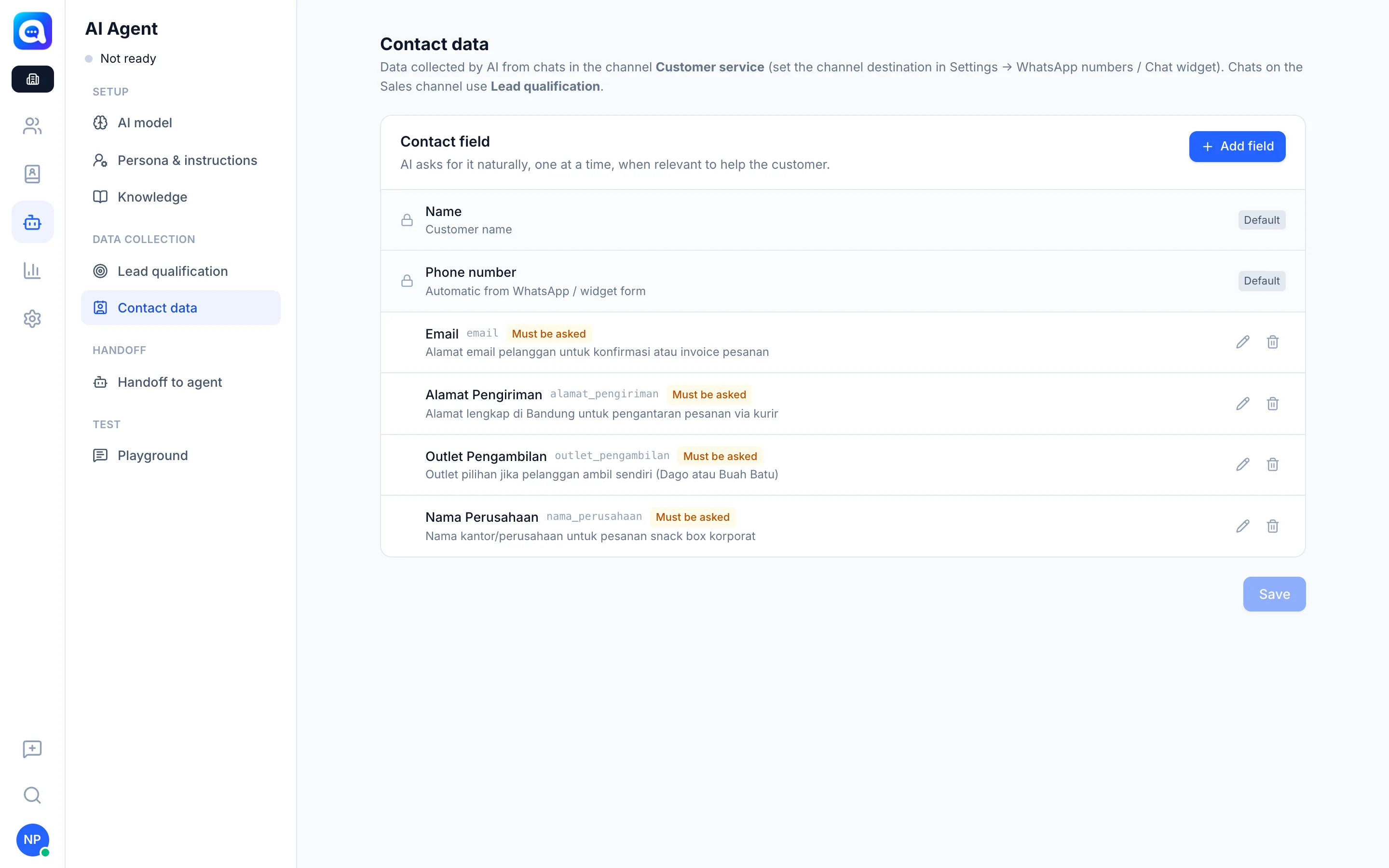
In the Contact data tab (Data collection group) you set up the Contact fields that the AI asks for naturally, one at a time, when relevant to helping the customer.
- Name and Phone number are built in (automatically from WhatsApp or the widget form) and cannot be deleted.
- You can Add field yourself, for example Email or Customer number, with a Label, Key, and Hints for AI.
- Must be asked: when on, the AI asks for that field if it is not yet available.
Chats on Sales channels use Lead qualification; contact fields marked Must be asked are still asked there too.
Benefits
- Complete customer profiles to help the team at handoff.
- The AI asks naturally, not like a form.
- Data is saved automatically to the contact.
Steps
- Open the tab. Choose AI Agent → Contact data.
- Add a field. Click Add field. Kirana Bakery example: Label "Delivery address", Key
alamat, Hint "Full address for cake delivery in Bandung". - Set required. Turn on Must be asked if the AI must ask for it.
- Apply and save. Click Apply, then Save.
Tips
Tip
Collect only the data you need. The fewer required fields, the more comfortable the conversation is for customers.