
Customer Ratings
Understand the Ranking report: CSAT, average value, answer rate, star distribution, and latest ratings.
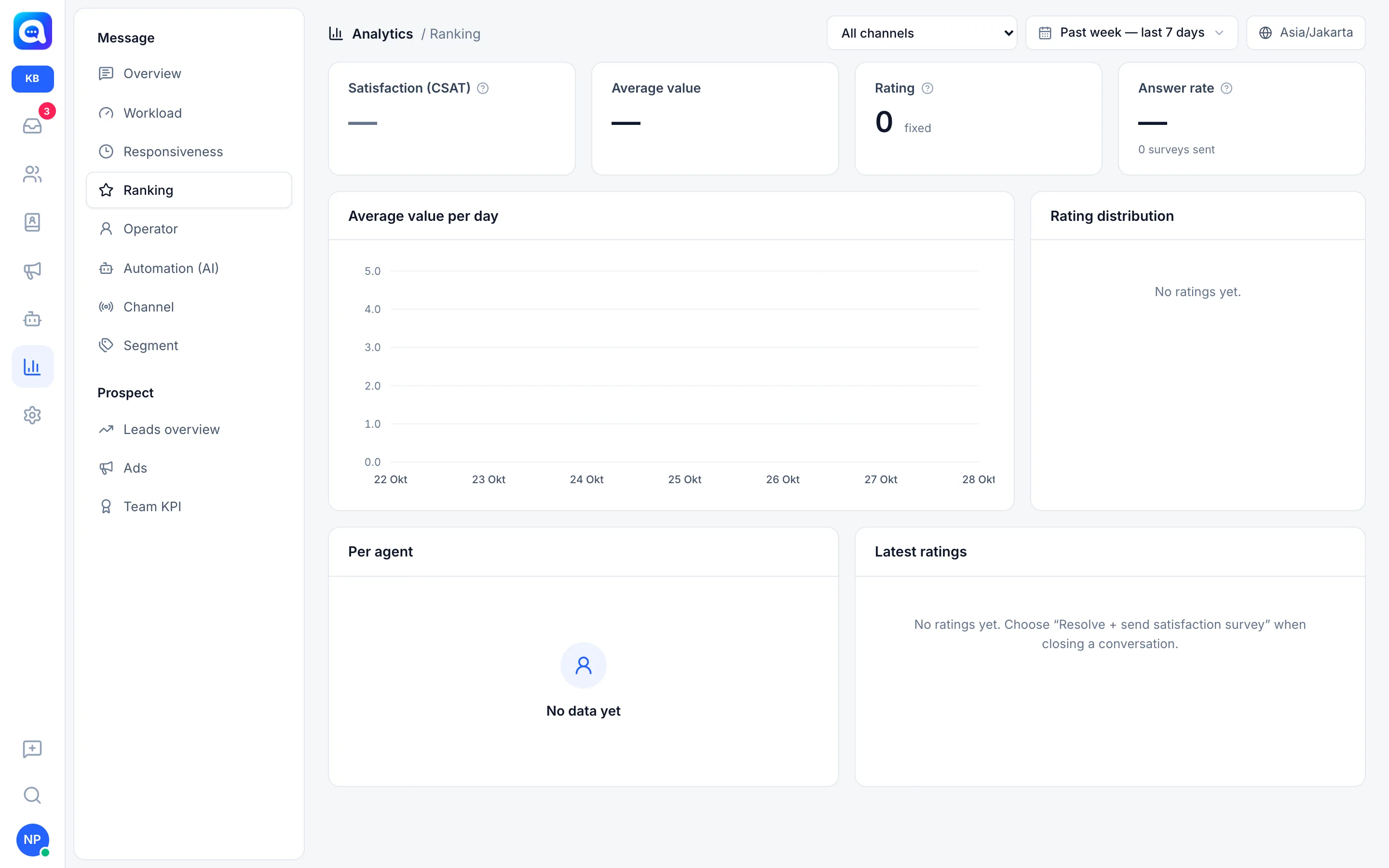
The Ranking report shows the results of the customer satisfaction survey (CSAT) after chats end. Managers use it to measure service quality. How to set up the survey content is in KPI and surveys.
What it does
Four cards
- Satisfaction (CSAT): the percentage of ratings of 4 and 5 out of all answers. Green if 85% and above, yellow if 70% and above, red below that.
- Average value: the average rating from 1 to 5, shown like "4.6 / 5".
- Rating: the number of survey answers received.
- Answer rate: answers divided by surveys sent, in percent. Below it is the number of surveys sent.
Charts and lists
- Average value per day: a line of the average rating each day. Days without answers are blank.
- Rating distribution: the count and percentage for 5 to 1 stars. Stars 4 and 5 are green, 3 yellow, 2 and 1 red.
- Per agent: CSAT, Average, Answered, Sent for each agent. Only agents who have sent surveys or received answers appear.
- Latest ratings: up to the last 30 answers, complete with stars, the customer or company name, the agent's name, and the time. Click to open the conversation.
Ratings are recorded under the name of the agent handling the conversation when the survey was sent.
Benefits
- Know customer satisfaction with numbers, not guesses.
- Find agents who need training or deserve appreciation.
- Read low-rated conversations to improve processes.
- Monitor whether service changes make customers happier.
Steps
- Send a survey when closing a chat. The agent chooses Resolve + send satisfaction survey on the conversation. The customer replies with a number from 1 to 5.
- Open Ranking. In Analytics, choose Ranking in the Message group.
- Read the cards. Look at CSAT and Answer rate together. A CSAT of 100% from 2 answers cannot be relied on.
- Look at the Rating distribution. If there are many 1 to 2 stars, open Latest ratings and read the conversations.
- Compare agents. Use the Per agent table, paying attention to the Answered column to be fair.
- Take action. Give coaching, improve the AI's answers, or change the survey message.
Example
Kirana Bakery's CSAT dropped from 90% to 72% during Lebaran week. In Latest ratings, several customers gave 2 stars because of late delivery. The team added order cutoff info to the AI's knowledge and CSAT recovered.
Tips
Low answer rate? Shorten the Survey message and send it right after the chat ends. Replies after the answer time limit are treated as ordinary messages.
If the report is still empty with the text "No ratings yet.", it means no surveys were answered in the selected period.