
Agent Performance
Read the Operator report to see each agent's activity, speed, and customer satisfaction.
The Operator report summarizes what each team member did in the selected period. Managers use it for evaluation, coaching, and seeing who is currently active. A summary of the menu is in the Analytics Dashboard.
What it does
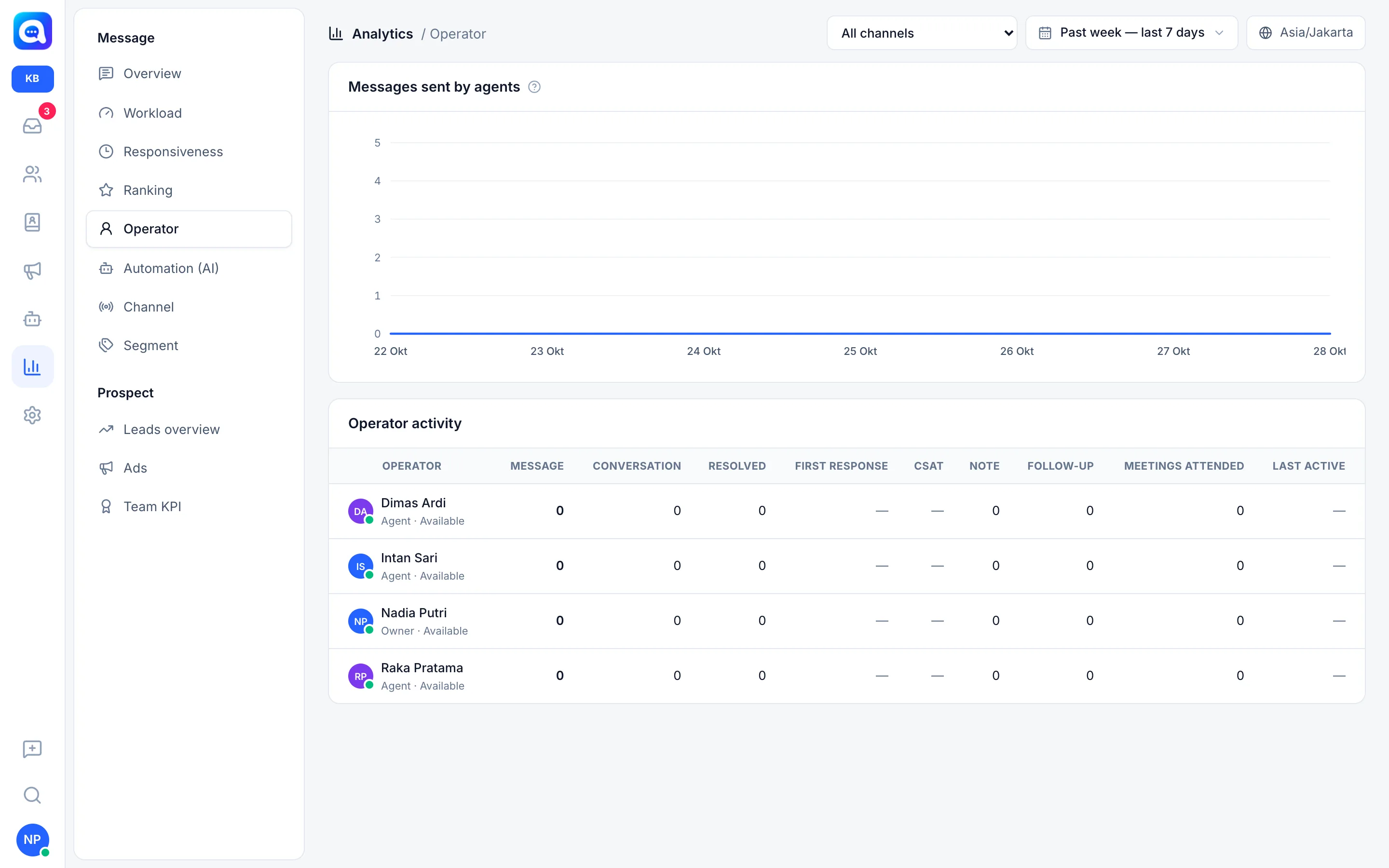
Messages sent by agents is a chart of the number of messages agents sent from the dashboard per day.
Operator activity is a table with one row per member. Under the name are the role (Owner, Admin, Agent) and the status Available or Unavailable. The columns:
| Column | Meaning |
|---|---|
| Message | Outgoing messages sent by the agent from the dashboard. |
| Conversation | Distinct conversations the agent replied to in the period. |
| Resolved | Conversations marked resolved by the agent. |
| First response | Average time from the customer waiting until the agent's first reply. Green is 5 minutes or less, yellow up to 15 minutes, red above that. |
| CSAT | Percentage of survey ratings of 4 and 5 for that agent. Green is 85% and above, yellow 70% and above, red below that. |
| Note | Number of internal notes written. |
| Follow-up | Number of notes from the Log follow-up button. |
| Meetings attended | Number of meetings marked Attended. |
| Last active | When the agent last sent a message. |
The Owner only appears if they have activity in that period. A "—" means there is no data yet, not zero.
Benefits
- See each agent's productivity fairly, with the same numbers.
- Find agents who are fast but less liked by customers, or the other way around.
- Know who has been inactive for a long time.
- Material for discussion during monthly evaluations, together with the KPI Report.
Steps
- Open Operator. In Analytics, choose Operator in the Message group.
- Choose a period. Use a range long enough, for example This month, so the numbers are not skewed by one quiet day.
- Read the message chart. Spikes show the team's busiest working days.
- Compare agent rows. Look at Conversation and Resolved for productivity, then First response and CSAT for quality.
- Check Last active. An agent with the Available status who has been inactive for a long time should be checked; they may have forgotten to change their status.
- Follow up. Do coaching or reorganize chat distribution based on the findings.
Example
At Kirana Bakery, Intan Sari has the most Message count but a First response of 18 minutes. It turns out she holds the complicated custom orders inbox. The manager moves some simple chats to Raka, and Intan's response improves.
Tips
Do not judge by Message alone. Agents who use quick replies can send many messages without solving the problem. Look at Resolved and CSAT along with it.
The Message number only counts messages from the dashboard. AI replies are not included here, see Automation and AI cost.