
Leads and Ads
Read the Leads overview and Ads reports to see new leads, pipeline stages, sources, and the performance of each ad.
The Prospect group in Analytics helps the sales team see how many leads come in, how far they move through the pipeline, and which ads produce results. An overview of all menus is in the Analytics Dashboard.
What it does
Leads overview
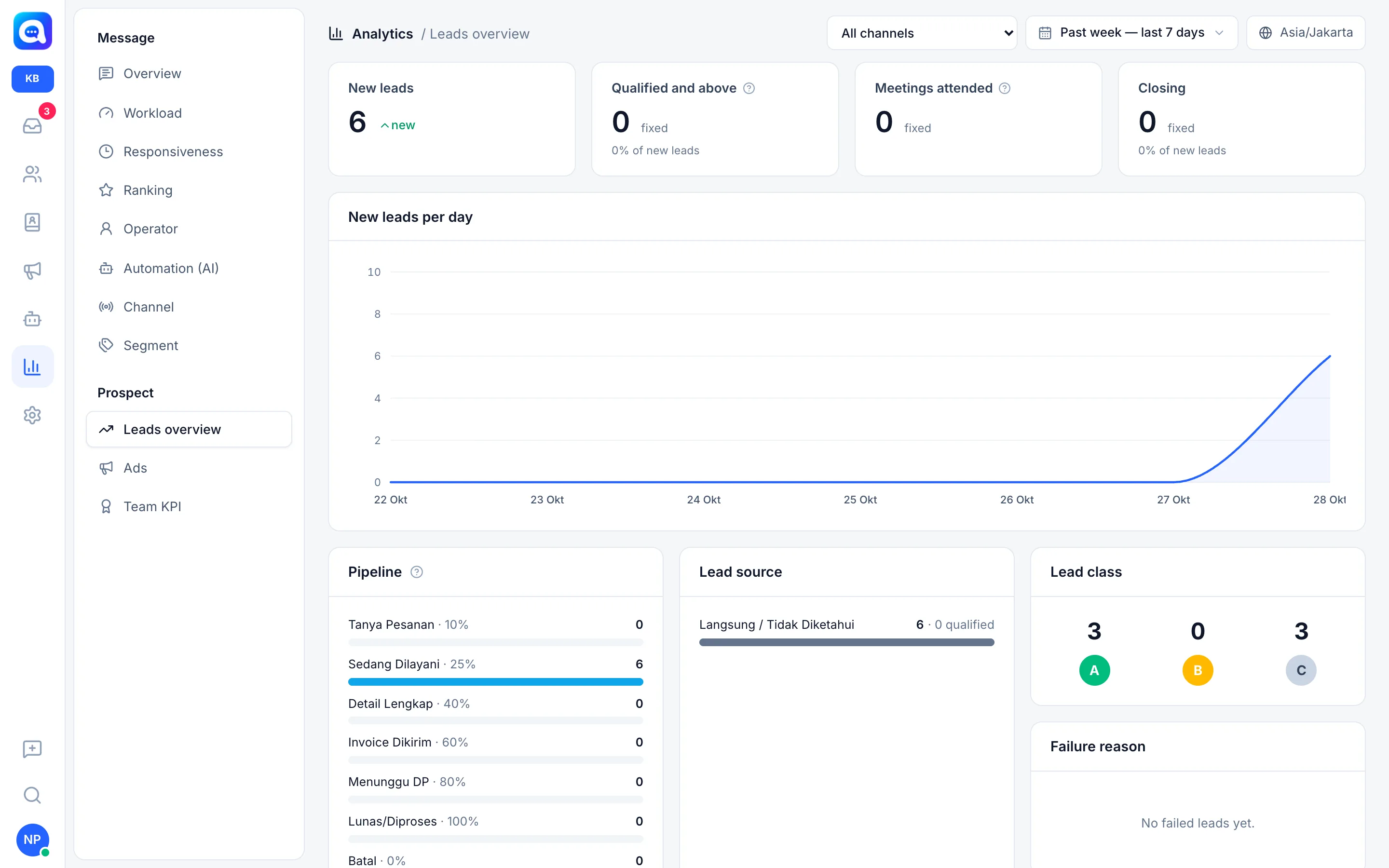
All numbers are calculated from leads (not ordinary contacts or groups) created in the selected period.
- New leads: the number of new leads.
- Qualified and above: those that have now reached the Qualified stage or beyond, plus the percentage of new leads.
- Meetings attended: meetings marked Attended in the period.
- Closing: new leads that are now in a won stage, plus the percentage.
- New leads per day: a daily line. If there are follow-ups past their date, a red "follow-up past due date" badge appears.
- Pipeline: the current stage of leads that came in during the period, along with the probability of each stage (e.g. Being Served 25%).
- Lead source: the number of leads per source and how many are qualified.
- Lead class: the number of classes A, B, C.
- Failure reason: leads that dropped out, by reason.
Ads
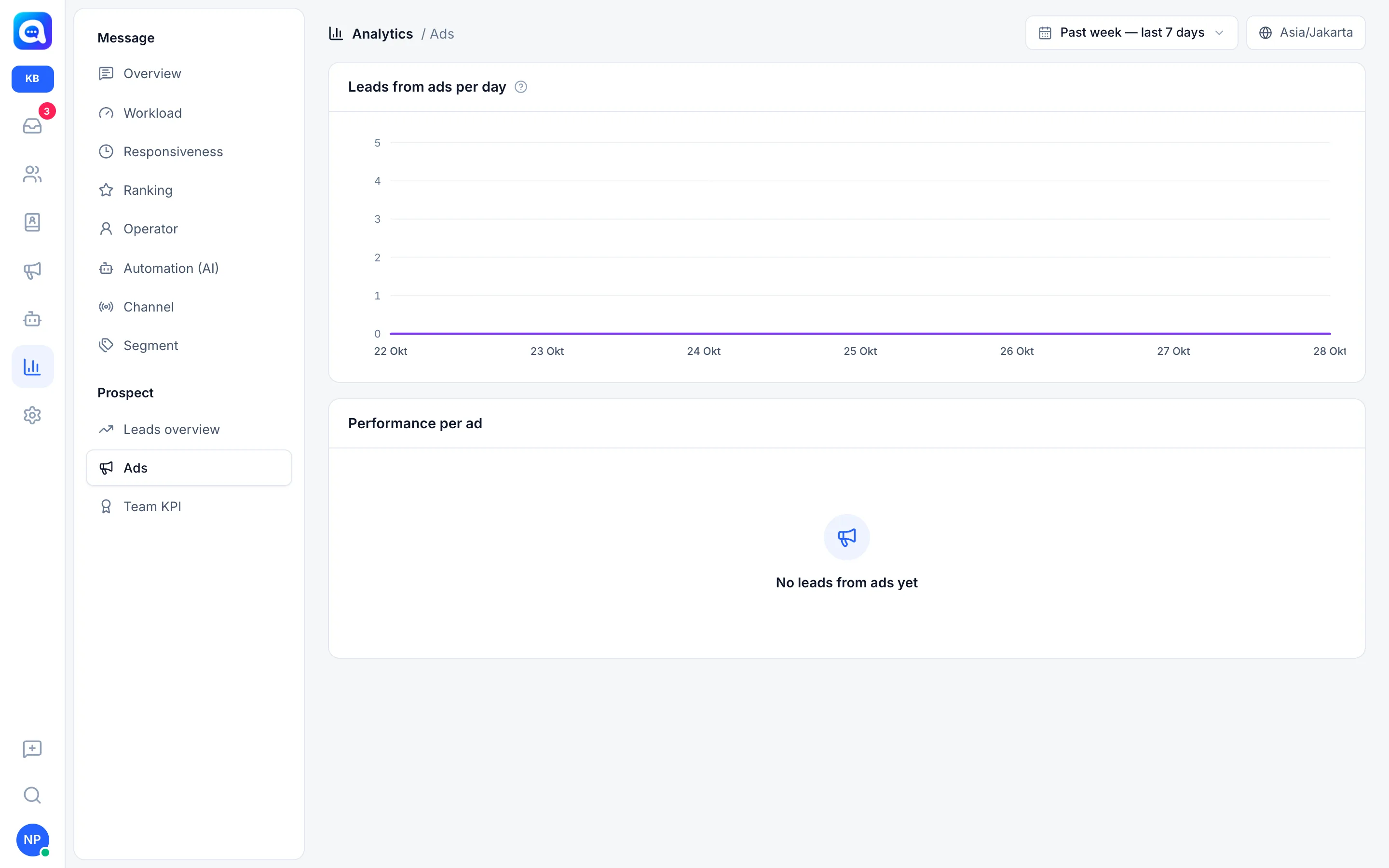
- Leads from ads per day: Click-to-WhatsApp conversations that carry ad data.
- Performance per ad: for each ad there are Lead, Avg. score, Qualified, Closing, and Conversion (qualified divided by leads). Up to 50 ads, sorted by most leads. The channel filter does not apply to this report.
Benefits
- Know the quality of leads, not just the count.
- Find the pipeline stage where leads get stuck.
- Shift budget to ads with high conversion.
- Know about missed follow-ups.
Steps
- Open Leads overview. In Analytics, choose Leads overview in the Prospect group and set the date range.
- Read the cards and their percentages. Example: 6 new leads, 0 qualified (0% of new leads).
- Check the Pipeline. If all leads pile up in the early stages, strengthen follow-up.
- Look at Lead source and Lead class. Focus the team on class A and the sources with the highest qualified count.
- Review Failure reason. A dominant reason shows what needs fixing in the offer.
- Open Ads. Compare the Conversion of each ad. Stop ads with many leads but zero qualified, and add budget to those with high closing.
Example
Kirana Bakery runs two Lebaran hampers ads. Ad A produces 30 leads with a 10% conversion, ad B 12 leads with a 50% conversion and 3 closings. The owner moves part of the budget to ad B.
Tips
Ad conversion only becomes meaningful once there are enough leads. A 50% from 2 leads cannot be used as a benchmark.
The Ads report only records conversations that carry Click-to-WhatsApp ad data. Leads that come from ordinary links do not appear here.