
Getting started/Initial setup
Quick Start Checklist
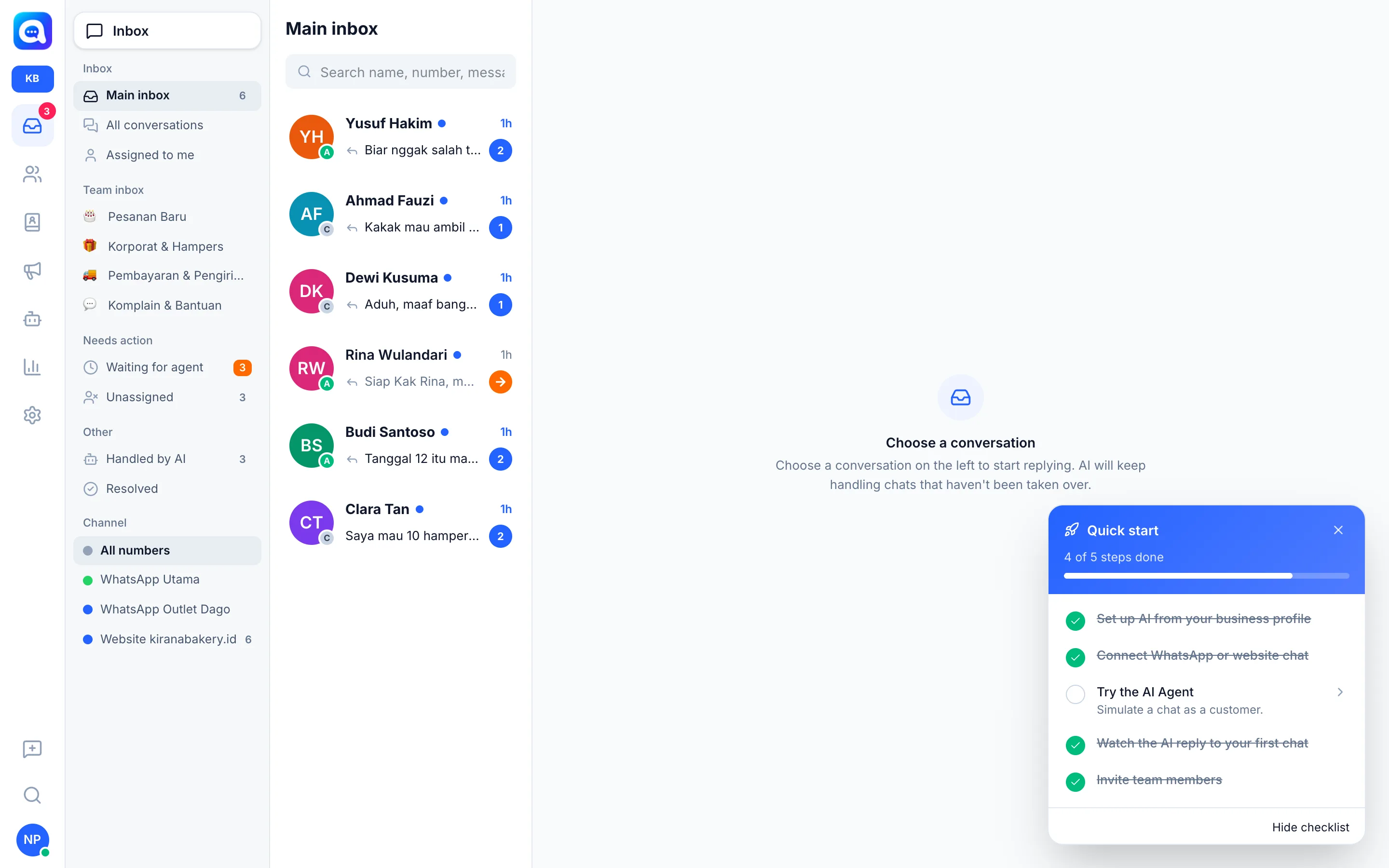
The floating Quick start box that guides you through the first five steps until the AI replies to your first chat.
After you sign in, you will see the Quick start box on the dashboard. It tracks your setup progress and takes you straight to the right page.
What it does
The checklist shows "X of 5 steps completed". Clicking a step opens the related page. You can close the box and reopen it with the Quick start button, which has a progress counter.
Benefits
- No need to memorize the setup order.
- Completed steps are checked off automatically.
- Keeps the team focused on the highest-impact tasks first.
Steps
- Set up AI from your business profile. The AI drafts the persona, FAQ, and catalog. Opens the wizard. See Automatic AI setup.
- Connect WhatsApp or website chat. So customer chats arrive in the inbox. See Connect WhatsApp or Install the website widget.
- Try the AI Agent. Simulate a chat as a customer in the Try the AI step of the wizard.
- Watch the AI reply to your first chat. From another phone, send a message like a customer to your business WhatsApp number (or through a web page with the widget installed). The AI replies within seconds and the conversation appears right away in the Inbox.
- Invite team members. Share chats with your sales or CS team in Settings → Team & agents. See Invite your team.
If you no longer want to see this box, click Hide checklist.
Tips
Tip
Step 4 is the key moment: send a few real questions (price, stock, opening hours) and check whether the AI's answers are correct.