
Getting started/Account
Sign Up
How to create a new Kalea account with email code verification and a free 14-day trial.
This guide is for business owners or admins creating a new company on Kalea. The process takes about two minutes.
What it does
Signing up creates a new company along with your Owner account. Once your email is verified, you go straight to the /welcome wizard to set up the AI.
Benefits
- Free 14-day trial, no credit card required.
- Time zone, currency, and number format are filled in automatically from your location (you can change them in Settings → Regional).
- Email verification keeps your account secure and recoverable.
Steps
- Open the sign-up page. Go to
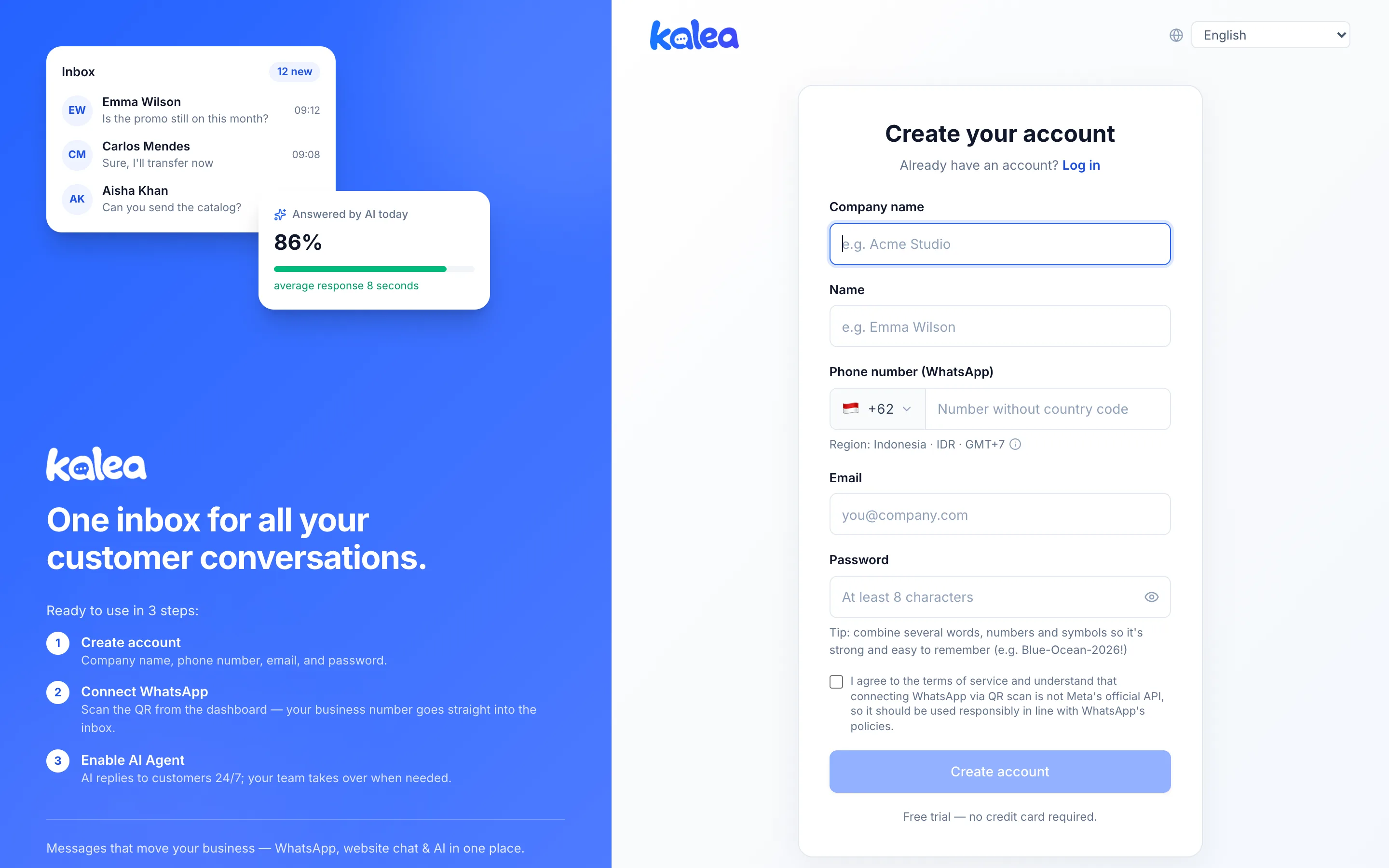
/registeror click Sign up now on the login page. - Fill in your account details. Complete Company name, Name, and Phone number (WhatsApp). Choose a country flag and type the number; the system checks whether the number is valid for that country. Also enter your Email and Password (at least 8 characters).
- Accept the terms. Tick the box agreeing to the terms of service. This text also explains that the WhatsApp connection via QR scan is not the official Meta API, so it should be used wisely in line with WhatsApp's policies.
- Click Create account. The button becomes active once the terms are ticked and the password is long enough.
- Enter the verification code. Kalea sends a 6-digit code to your email. Type the code and click Verify & create account. Haven't received it? Use Resend code after the countdown ends, or Change email if you made a typo.
- Continue to the wizard. You go to
/welcometo set up the AI. See Automatic AI setup.
Tips
Tip
Use an email address you actually read, because the verification code is sent there. Check your spam folder if the code hasn't arrived.
Note
One email can be registered in several companies. See Sign in and choose a company.